TimeBill app iconTimeBill

Get Paid Faster for Every Minute You Work

The all-in-one time tracking and invoicing app for macOS. Made for freelancers and consultants.

100% offline. Your data never leaves your Mac.

Download on the Mac App Store
5.0/5 rating based on 4 reviews
5.0App Store rating
7Invoice languages
100%Offline & private
FreeTo get started

How many of the hours you worked this year never made it onto an invoice?

That is exactly the gap TimeBill closes. Track every minute as you work, turn it into a clean invoice in seconds, and stop leaving money on the table.

Everything you need to track time and get paid

No bloated ERP, no team seats — just the tools a solo freelancer or consultant needs to turn real work into paid invoices.

100% offline & private

No account, no cloud, no analytics. Your clients, projects, and invoices never leave your Mac.

Hourly, fixed-price & cost items

Run a start/stop timer for hourly work, set up flat-fee jobs, and add expenses, materials, or mileage.

Your own invoice templates

Design invoice layouts that match your brand with the built-in Template Editor, then reuse them across clients.

Intelligent Text Polishing

On-device intelligence models turn your rough internal notes into clear, professional, customer-facing invoice text — processed entirely on your Mac, never sent to the cloud.

Professional PDF invoices

Generate polished PDF invoices and timesheets with SEPA payment QR codes so clients can pay in a tap.

Invoices in 7 languages

Bill clients in English, German, Dutch, French, Spanish, Italian, or Portuguese.

Built for the work freelancers actually do

Track it, shape it, bill it. Here is how TimeBill turns your hours into paid invoices.

Invoicing

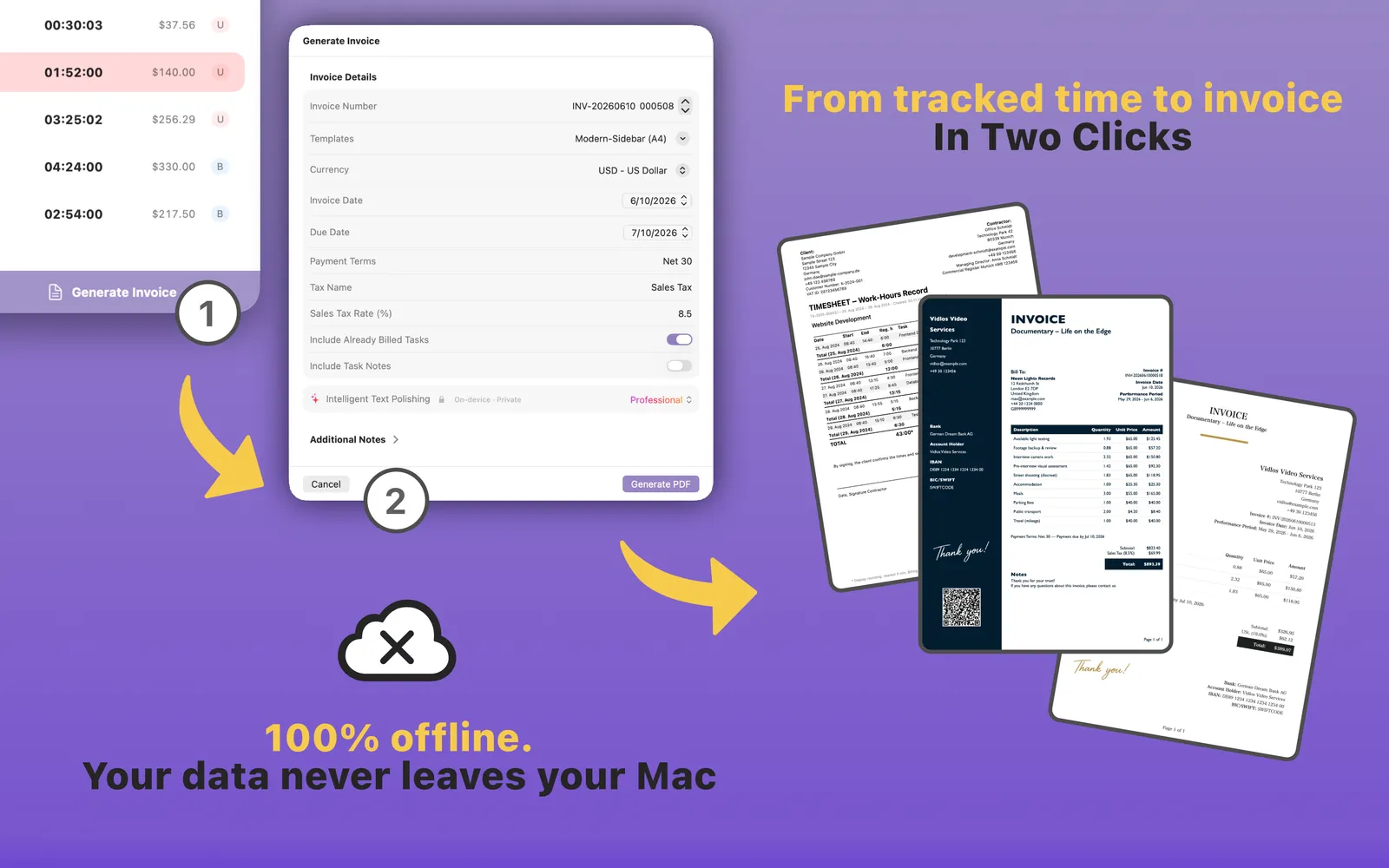
From tracked time to invoice in two clicks

Select the work you want to bill, add any cost items, choose a template, and export a professional PDF invoice and timesheet — no spreadsheets, no copy-paste, no SaaS backend.

  • Pick the tasks and cost items to bill
  • Choose and customize your template
  • Export a polished PDF invoice + timesheet
Generating a professional PDF invoice from tracked time in TimeBill
Templates

Make every invoice unmistakably yours

The built-in Template Editor lets you adjust sections, typography, and layout so your invoices match your brand. Build a template once, then reuse it across every client and project.

  • Full control over layout & typography
  • Reuse templates across clients
  • Polish notes into clean invoice text with on-device intelligence
Choosing from TimeBill's professional invoice templates
Stay in control

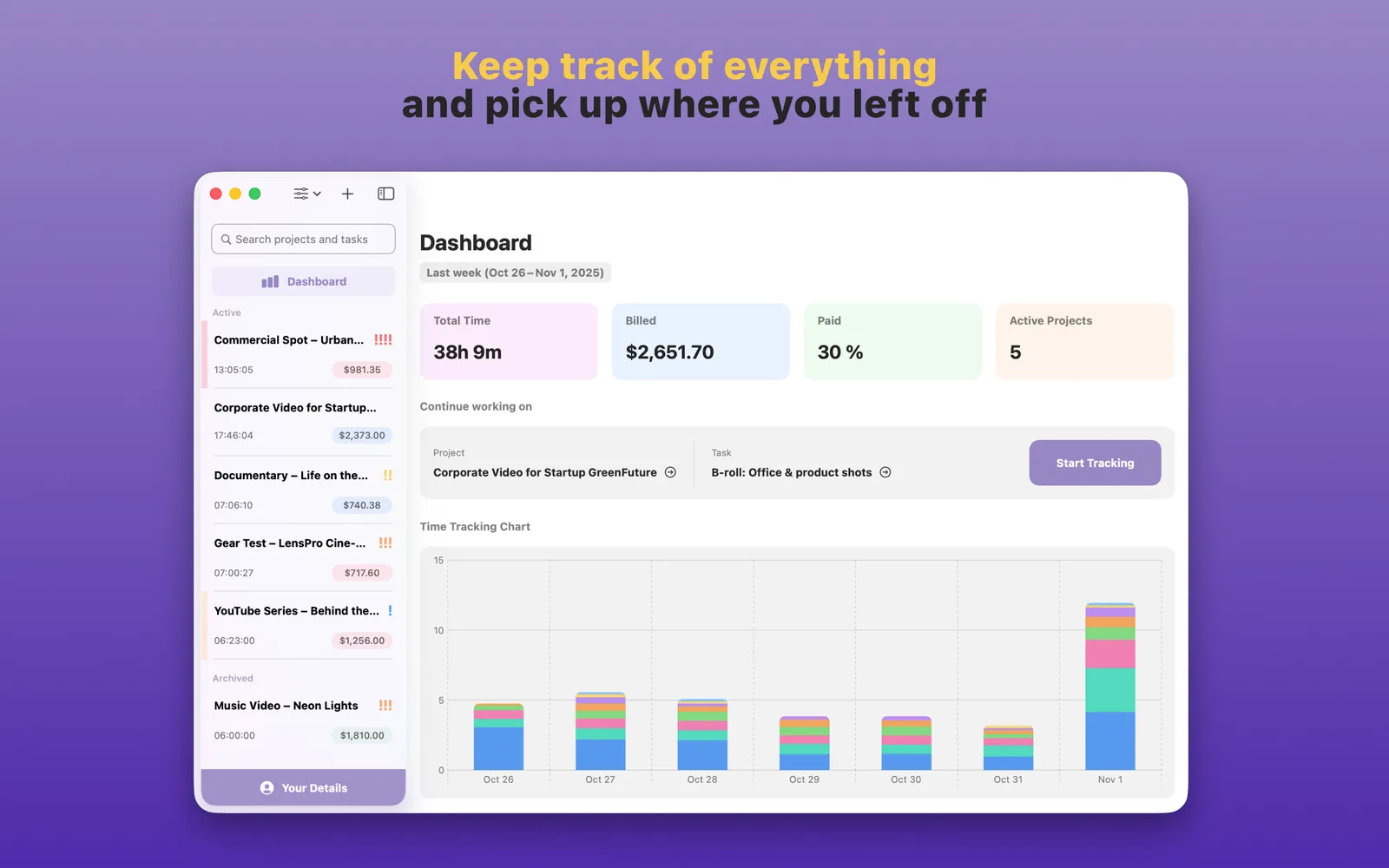
Always know what still brings money

See total tracked time, live earnings, and every project's status at a glance — then follow each one from Unbilled to Billed to Paid so nothing slips through the cracks.

  • Unbilled → Billed → Paid at a glance
  • Live earnings while you track
  • Pick up right where you left off
TimeBill dashboard showing tracked time, billed and paid totals, and a time-tracking chart

Three steps to getting paid

From a blank project to a professional invoice in your client's inbox — TimeBill handles the busywork in between.

Step 01

Create your projects

Set up hourly or fixed-price projects with tasks, deadlines, and priorities.

Step 02

Track your time

Start a one-click timer or add entries manually, and watch your earnings add up in real time.

Step 03

Send the invoice

Pick a template, polish your notes, and export a professional PDF in seconds.

Download on the Mac App Store

A closer look at TimeBill

Swipe through the app — from one-click time tracking to polished, customizable PDF invoices.

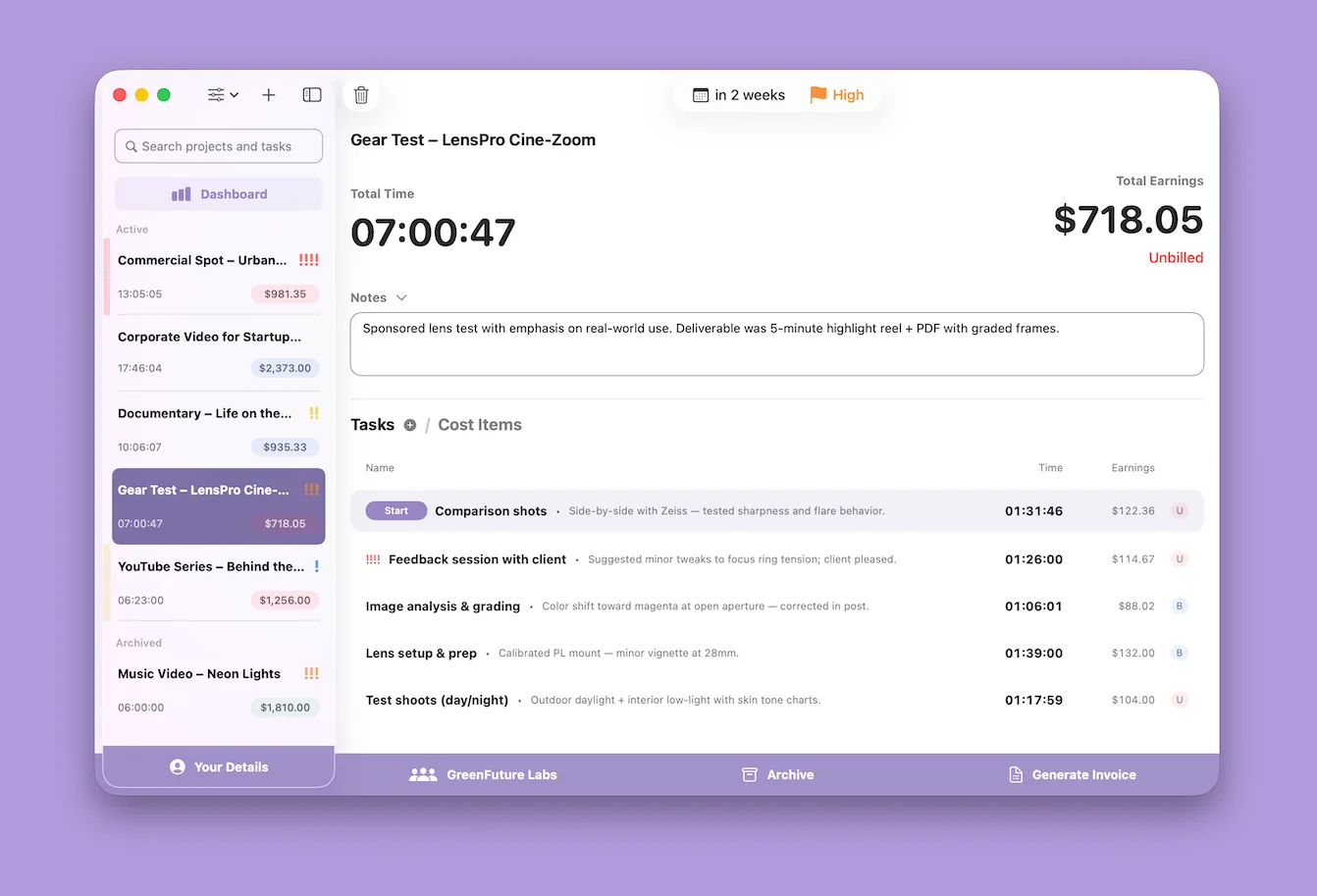
TimeBill tracking time on a video project with live earnings, on macOS
Generating a professional PDF invoice from tracked time in TimeBill in two clicks
TimeBill dashboard showing total tracked time, billed and paid amounts, active projects, and a time-tracking chart
Choosing from TimeBill's professional invoice templates
Exporting your TimeBill data in multiple formats — PDF invoices, CSV time data, and JSON backups
Managing customers and their billing details in TimeBill for macOS
Adding billable cost items and expenses to a project in TimeBill
TimeBill's minimal floating timer window for distraction-free time tracking on macOS

Frequently asked questions

Got questions? We've got answers.

Is TimeBill really free to use?

Yes! TimeBill offers a completely free version with core time tracking features. You can use the free version forever with no time limits or trial periods.

What's included in TimeBill Premium?

TimeBill Premium removes all limitations, allowing unlimited projects and tasks. It also removes watermarks from generated PDFs and includes all future features.

Can I customize my invoices?

Yes. TimeBill includes a built-in Template Editor to design invoice layouts that match your brand, uses on-device intelligence models to polish your rough notes into clean customer-facing text (nothing is sent to the cloud), and exports professional PDF invoices with SEPA payment QR codes. You can create invoices in English, German, Dutch, French, Spanish, Italian, and Portuguese.

Does TimeBill work without internet?

Absolutely. TimeBill is 100% offline-first. Your data never leaves your Mac, giving you complete privacy and control.

From the blog

Tips on time tracking, pricing, and getting paid as a freelancer.

TimeBill app icon

Start getting paid what you're worth

Download TimeBill today and turn every tracked minute into a professional invoice — free, offline, and on your Mac.

Download on the Mac App Store

100% offline. Your data stays on your Mac.